Wiki mirrorView source
1NCE is the global Tier-1 IoT Carrier specialized in providing managed connectivity services for low bandwidth IoT applications.
Introduction
This article contains step-by-step instructions on how to set up Teltonika-Networks devices as 1NCE OpenVPN clients.
Prerequisites
- For OpenVPN to work with older than 00.07.2 firmware, it`s necessary to contact 1NCE for OpenVPN client password shorter than 129 bytes.
Downlowding configuration files
- Go to https://portal.1nce.com/portal/customer/login and log in.
- Open the Configuration tab and click the on OpenVPN Configuration button.
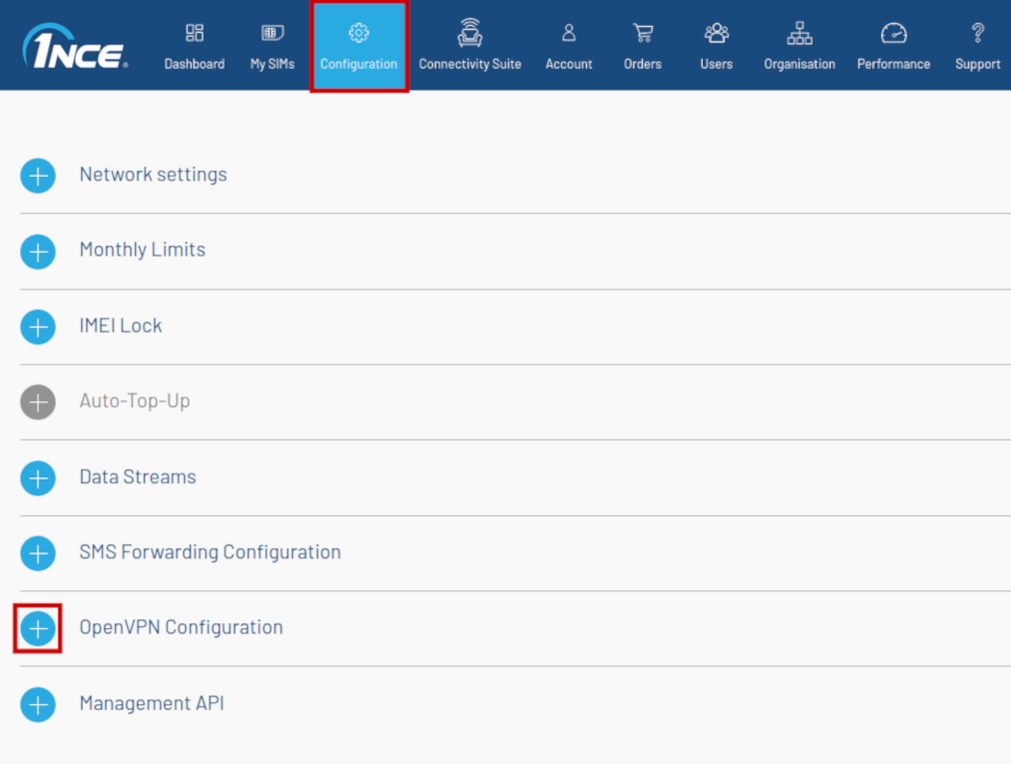
- Select Linux/macOS operating systems.
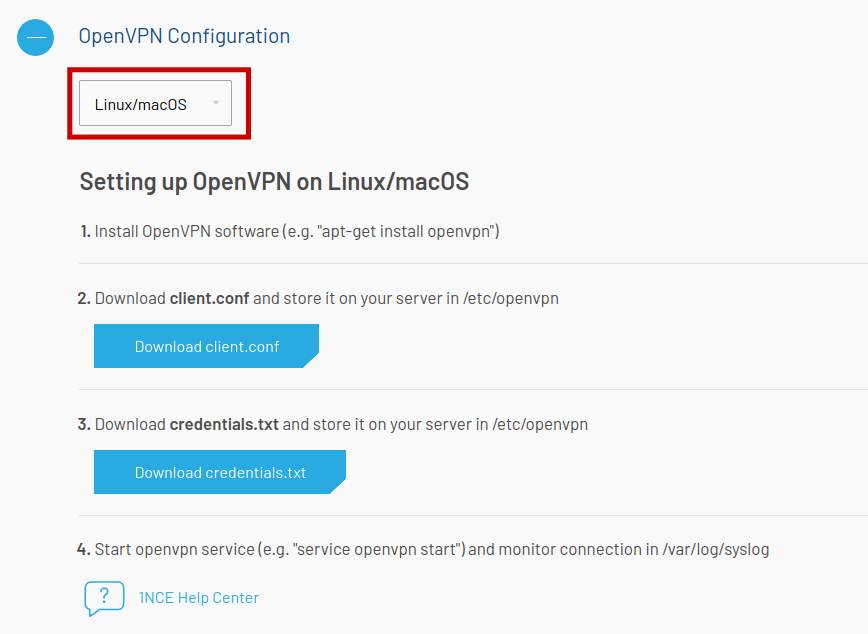
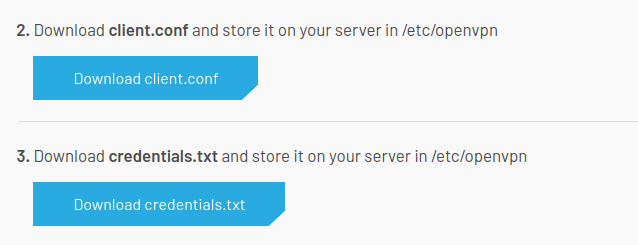
- Download client.conf and credentials.txt files.
Configuring a device
- Log in to your device's WebUI.
- Go to Services → VPN → OpenVPN and create new configuration by selecting role Clien, entering Configuration name and pressing Add button. New configuration should appear in a few seconds. Then press Edit.
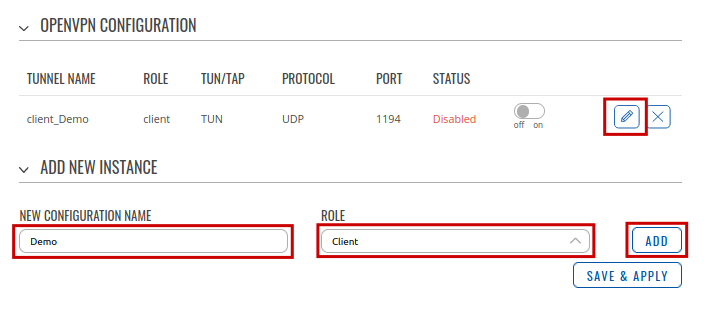
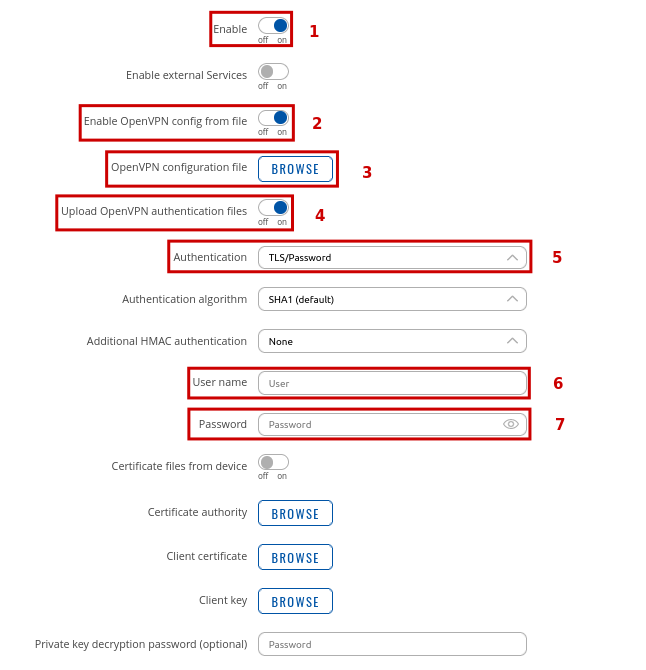
- Configurate new instance.