
Wiki mirrorView source
Introduction
This article describes how to connect to a console of another device (e.g., a Cisco router, Fortigate firewall, etc.)
Prerequisites
You will need:
- A router/gateway with USB or RS232 Serial
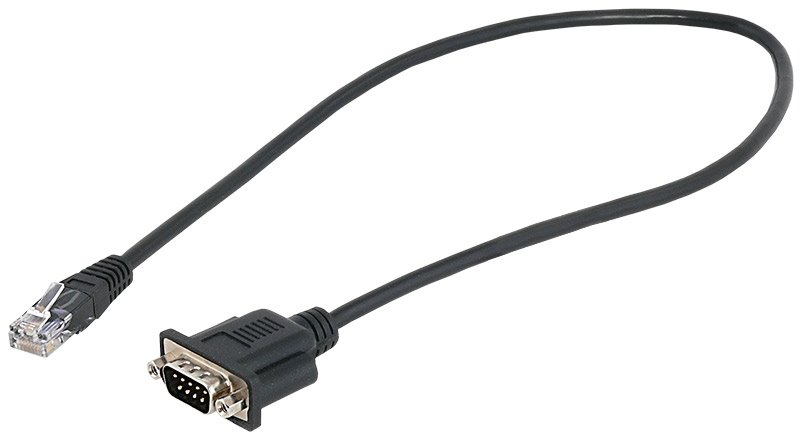
- An RS232 (male) - RJ45 cable (to connect to a Cisco AUX port):
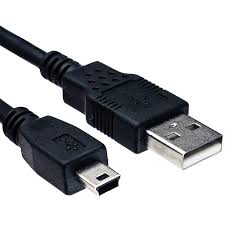
- Or a USB type Mini - USB type A cable (to connect to a USB type mini console port):
Configuration
There are multiple ways to connect to a console port, which are described in the sections below:
RS232 - RJ45
RS232 can be configured from the Services → RS232/RS485 → RS232 Configuration page. The following RS232 configuration should be used:
- Enable RS232.
- Select baud rate (9600).
- Select Serial type (Over IP).
- Select Protocol (TCP).
- Leave mode as Server.
- Type in port (15026)
- Save configuration
USB
Using Mini USB – USB type A configuration. Configured from the WebUI, Services → USB Tools → USB to Serial page:
Firstly, we'll need to add a new USB to Serial instance:
- Type name.
- Press Add.
Then, we'll need to configure this instance:
- Enable
- Name should be already written
- Select device ID
- Select baud rate
- Choose two Stop bits
- Select Serial type (Over IP)
- Choose TCP protocol
- Leave mode as Server
- Type in port (43223)
- Save configuration
PuTTY configuration
The console can be accessed by using software such as PuTTY (can be downloaded from here.
The PuTTY configuration should look like this:
- Type in routers/gateways IP
- Select port you've configured in RS232/USB to Serial.
- Select RAW connection type
Then you should successfully connect to Cisco device:
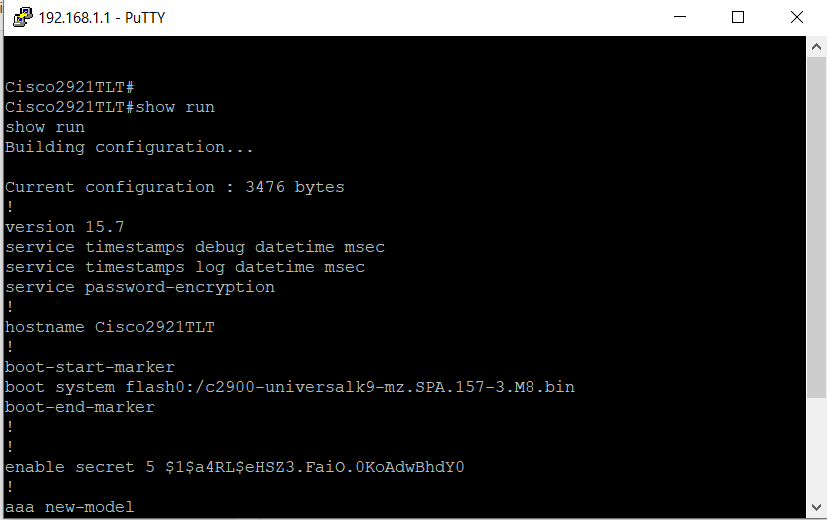
If you do encounter any issues with PuTTY, you can try connecting from Teltonika's device directly to Cisco's:
- Connect to router's/gateway's CLI
- Type in this command "microcom -s 9600 /dev/rs232"
This way you'd know if Teltonika's device is even able to see whats on the other side of RS232.
Console port
Example of console ports: